

Best Laptop for Engineering Students in Sri Lanka Under 300K: What To Buy And What To Avoid
Avoid costly laptop mistakes. Find the best engineering laptops under 300K in Sri Lanka with smart buying tips.
5 min read
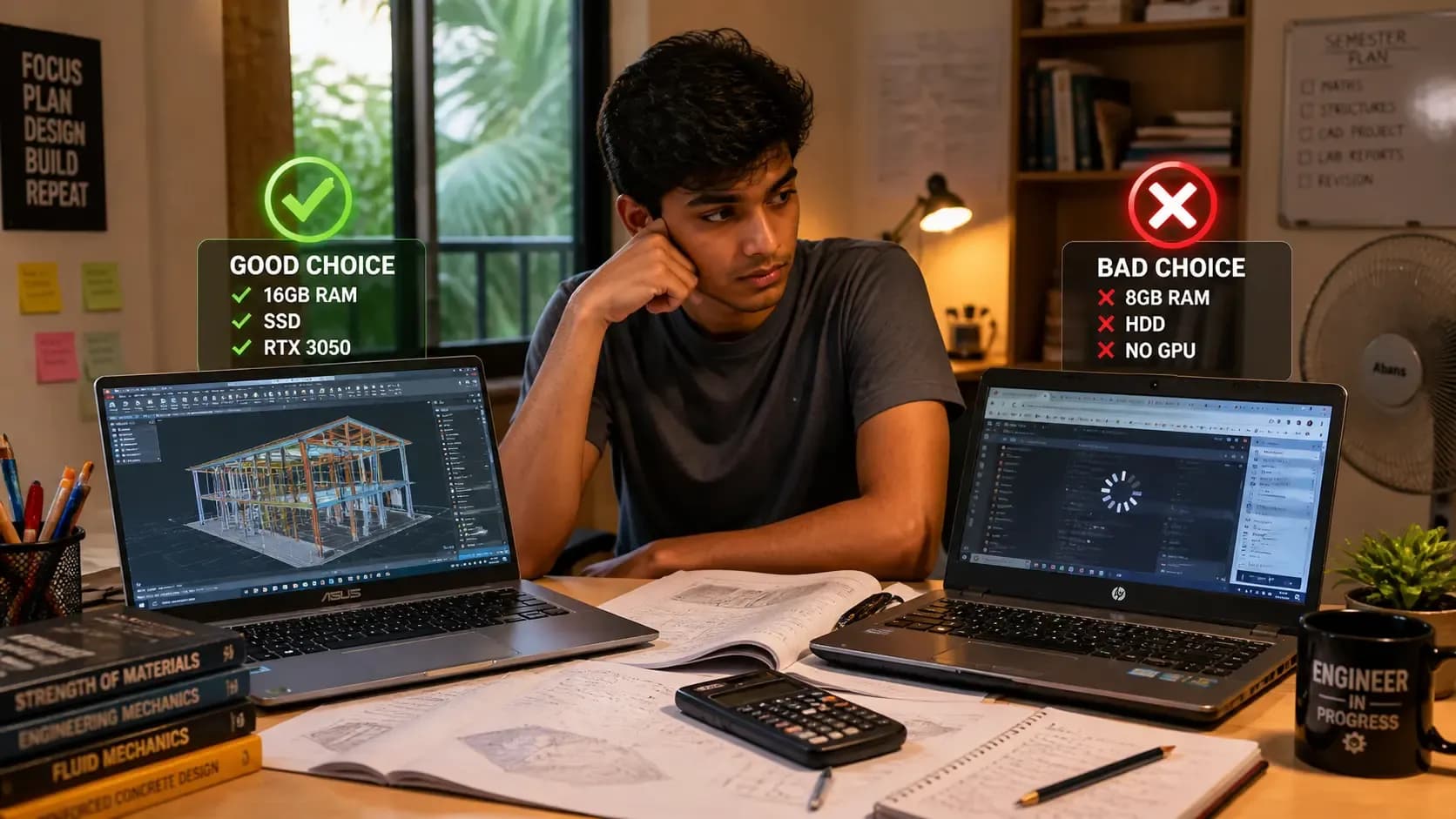
Buying a laptop for engineering in Sri Lanka is stressful. Prices change fast. Shops push confusing specs. And one wrong choice can slow you down for years.
This guide keeps it simple. You’ll learn what actually matters, what to avoid, and what you can safely buy under LKR 300,000.
Why Most Engineering Students Choose The Wrong Laptop
Most students don’t fail because they chose a bad brand. They struggle because they picked the wrong specs for their actual work. In Sri Lanka, it’s easy to get pushed into outdated or overpriced laptops. That’s why understanding what really matters is more important than just picking a popular model.
Most students focus on the wrong things. They chase i7 or brand names instead of real performance.
In Sri Lanka, shops sometimes sell older CPUs as new models. Some laptops also come with 8GB RAM, which feels fine at first but slows down fast.
Local Truth: Many students regret buying 8GB RAM within the first semester.
You don’t need the most expensive laptop. You need the right specs for your work.
What Engineering Students Actually Need (Not What Shops Tell You)
Shops often recommend laptops based on what they want to sell, not what you need. Engineering students have very different workloads depending on their field. If you don’t match your laptop to your actual use, you’ll either overspend or end up with a slow system within months.
Your laptop depends on your field. Not all engineering students need the same power.
Let’s simplify specs.
According to official SOLIDWORKS system requirements, 16GB RAM is the minimum for smooth performance. Also, AutoCAD system requirements show that higher RAM and strong CPUs improve performaSystem Requirements | SOLIDWORKSnce.
Clear answer: Yes, 8GB is enough for basic use. No, it is not enough for engineering work long term.
You should aim for 16GB RAM, SSD storage, and a modern i5 or Ryzen 5 processor.
Before buying, check if RAM can be upgraded. This saves money later.
Best Laptop Specs Under LKR 300K (Simple Buying Guide)
Specs look confusing at first. CPU names, RAM numbers, and GPU models can overwhelm you. But once you understand what each part does, choosing a laptop becomes much easier.
Here’s what you should look for.
According to recommended specs for engineering laptops, 16GB RAM is ideal for multitasking.
If you are doing heavy 3D work, GPU matters more. If you are coding, RAM matters more.
If You’re A Student
Local Truth: Most budget laptops in Sri Lanka do not have strong cooling.
Always choose a laptop that allows upgrades.
Best Laptop Types You Should Actually Buy
Not all laptops are built the same. Some are made for office work, while others handle heavy engineering tasks. Instead of focusing only on brands, it’s better to understand which type suits your workload.
Gaming Laptops
These give the best performance for engineering students.
These laptops handle CAD and 3D work much better.
Performance Office Laptops
These are better for coding and general work.
Budget Options
These work only if specs are enough.
Local Truth: Thin laptops often struggle with heat. If unsure, choose a gaming laptop.
Also read: Best laptops under 200K in Sri Lanka
What To Avoid Costly Mistakes Sri Lankan Students Make
Many students realize their mistake only after using the laptop for a few months. Avoiding these mistakes can save money and stress.
Warning:
According to best laptops for CAD work, higher RAM and GPU improve performance in complex tasks.
Always verify before buying.
Check Before You Buy Sri Lanka Checklist
Before spending your money, double check everything. Small details matter more in Sri Lanka due to market conditions.
According to engineering laptop requirements, students benefit from higher RAM and SSD storage.
Always ask if the laptop is brand new and sealed.
What You Should Actually Buy
Let’s make it simple.
You don’t need the most expensive laptop. You need the right one.
Final Advice
In Sri Lanka, every rupee matters. Spend wisely.
Before buying, always check the latest Laptop Prices in Sri Lanka to avoid overpaying.
If you follow this guide, you will choose a laptop that lasts through your entire engineering degree.
Should Engineering Students In Sri Lanka Buy A Laptop With Official Warranty?
Yes, official warranty is safer, especially for laptops used daily for heavy work. Engineering software can heat the laptop more than normal office use. If a motherboard, screen, keyboard, or battery fails, shop warranty may not give the same support. Always check the serial number and warranty terms before paying.
Is 512GB SSD Enough For An Engineering Student?
Yes, 512GB SSD is enough to start, but 1TB is better if your course uses large CAD files, simulation files, or many design projects. If your budget is tight, buy a 512GB SSD laptop with an extra storage slot. That lets you upgrade later without replacing the whole laptop.